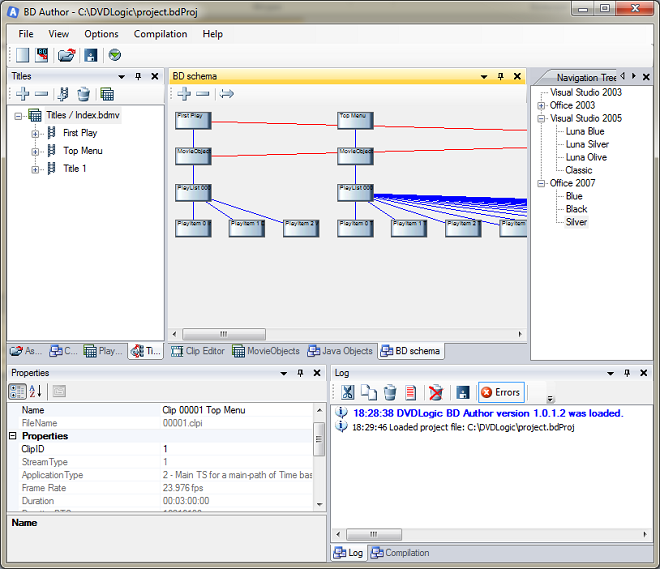
Screen shots
BD Author's user interface is divided into several separate elements, which allow the user to enter all the data quickly and comfortably during BD creation.
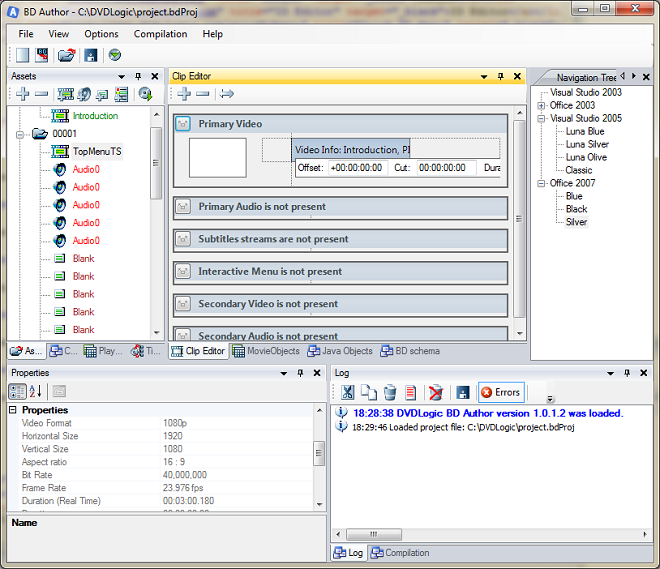
1. Assets list and properties window — BD Author allows users to import assets using 4 main stream types in the form of files: Video, Audio, Menu and Subtitles. A special Properties Viewer shows all the important properties of every video or audio file selected in the assets list:
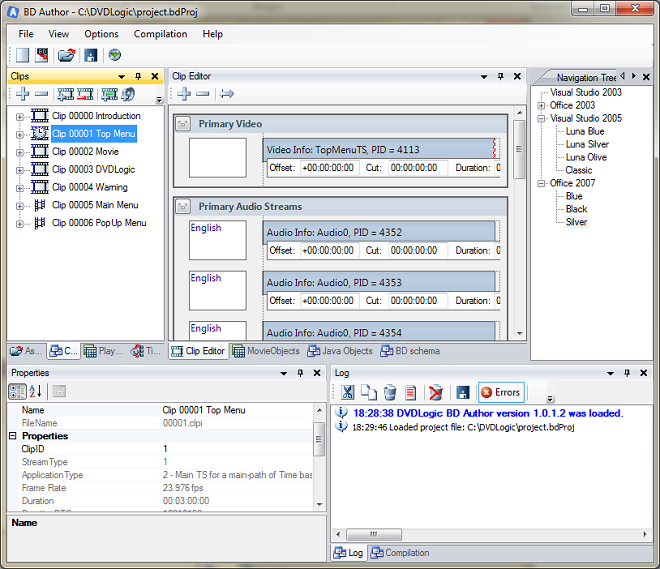
2. Clips and clip editor — a special window shows the list of clips. A clip is a special BD element that connects video, audio, menu and subtitle streams in a single track. The Clip Editor is an element that allows you to visualize any clip from the Clip List as separate video/audio streams:
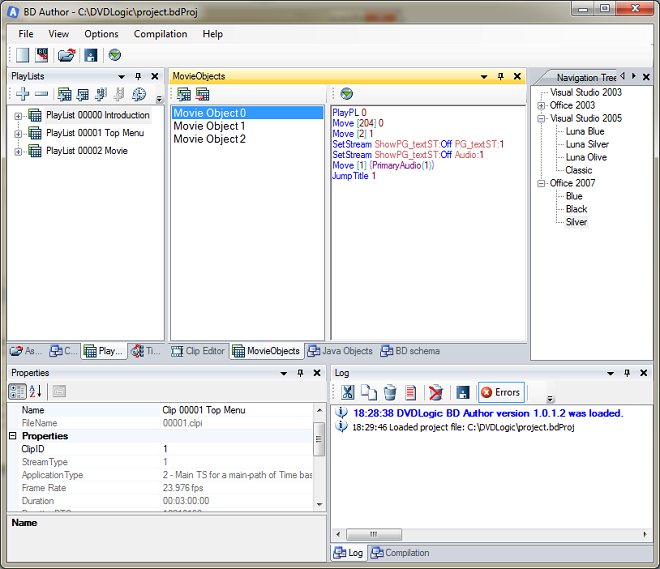
3. PlayLists and MovieObjects — allows you to create any clip combination or sequence. The PlayList is also a standard BD specification element. You can create your own MovieObject and use it in any way according to the BD specification:
4. Titles and BD schema — shows the list of all BD titles. The BD schema is a complex element that represents a map of the BD. It shows all elements as visual rectangles on a single panel: